A stockroom is not a store: the inventory nobody sells and everybody loses
The inventory that shows up in no sales report
When people talk about inventory control, the example is always a store: the product comes in, the product is sold, the invoice records everything. The systems on the market were designed for that.
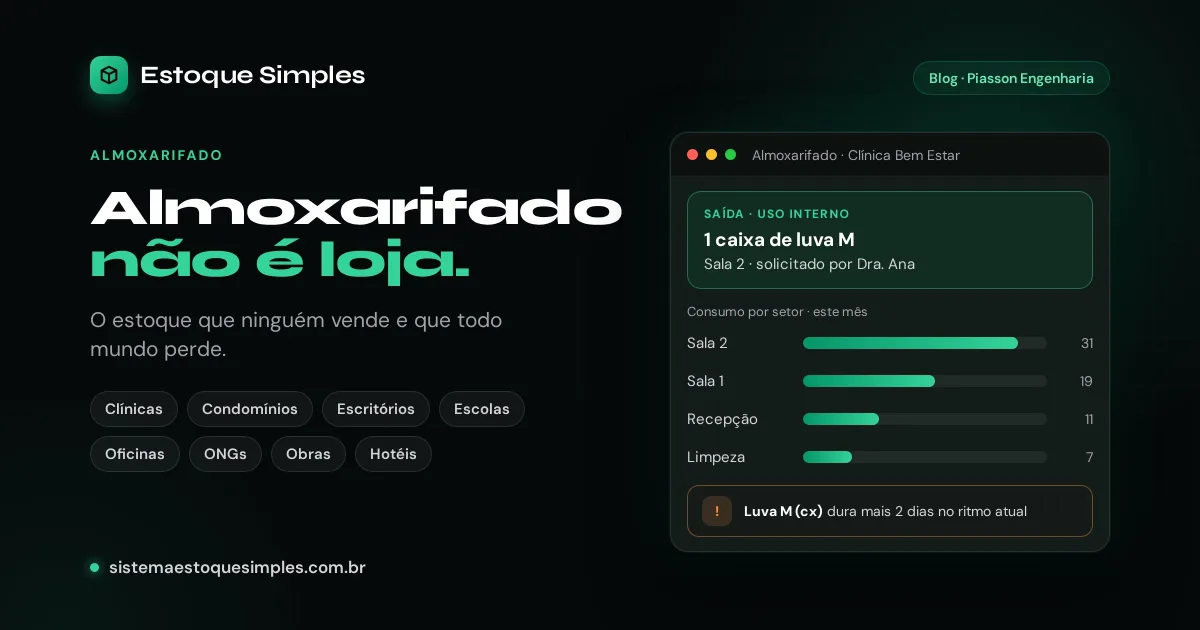
But there is an inventory that is sold to no one. It is consumed:
- the gloves, syringes and disposables in a clinic;
- the cleaning products and light bulbs in a condominium;
- the toner, paper and coffee in an office;
- the classroom supplies in a school or a church;
- the parts and consumables in a repair shop;
- the donations at an NGO;
- the cement and tools on a construction site;
- the linens and amenities in a hotel.
That material costs money, runs out at the wrong time and sometimes disappears. And it is almost always tracked in a notebook, in a spreadsheet or in someone's memory.
Why a store system does not fit
Trying to run a stockroom in a system built for sales is frustrating for three reasons:
- Every withdrawal asks for a customer and a price. A stockroom has no customer: it has the department that used the item and the person who took it.
- The reports answer "how much did I sell". The question here is a different one: how much did each department consume.
- Half the screens do not apply. Invoices, commissions, payment methods: all of it is noise for someone who just wants to check out two boxes of gloves.
The four stockroom questions
Internal-use control only has to answer four questions well:
- How much is there right now?
- Who took it, and for which department?
- What is running low?
- When will I need to buy again?
The last two are the ones a spreadsheet never answers on its own. And they are the ones that prevent the emergency purchase.
From zero to control in one afternoon
This is the path I recommend, using Estoque Simples, which was repositioned for exactly this use. The product is in Portuguese and built for the Brazilian market.
1. Create the account
Name, e-mail and password. No card and no company tax ID. If you want to explore before adding anything, one button loads sample data.
2. Bring your items from the spreadsheet
Download the import template, paste your items with their current quantity and minimum stock level, and upload the file. If you prefer to start small, add by hand only the ten items that cause the most headaches.
3. Add your departments
Front desk, room 1, kitchen, maintenance, block A: whatever people already call them. This is what lets you see consumption later.
4. Record every withdrawal as an internal-use exit
On the stock exit form, choose "Internal use", the destination department and who requested it. The balance updates immediately and the withdrawal stays in the history.
The system also records exits to customers, for those who sell some items. The two flows are kept separate on the screen.
5. Set a minimum stock level for the critical items
Once the minimum is set, the dashboard shows the list of what is running low. On the Pro plan, that list arrives by e-mail every day, without anyone having to open the system.
6. After a few weeks, look at consumption
This is where the control starts paying for itself. The consumption-by-department report shows who is using what. The restocking forecast estimates how many days each item will last at the current pace.
A large gap between similar departments is the first place to look for waste.
What changes in practice
The gain is not "having a system". It is no longer finding out about a shortage at the moment of use, buying based on real consumption, and being able to account for it, to the building manager, the board or the donor, without assembling a spreadsheet the night before the meeting.
Where to start
There is a page with example items and departments for each kind of operation: clinics and practices, condominiums, offices, schools and churches, repair shops, NGOs and associations, construction sites and hotels and inns.
The free plan is forever, with up to 10 products and 1 user. Every account starts with 14 days of Pro unlocked. Create yours at sistemaestoquesimples.com.br and start with the items that run out most often.
Related posts
I cut the price by 60% and added a forever-free plan. The math behind the decision
Three plans, a 14-day trial that locked the account, and no subscribers. I replaced it all...
Your inventory spreadsheet is lying to you: 7 signs it is already costing you money
An inventory spreadsheet does not break all at once: it drifts quietly, and the bill shows...
I asked for a tax ID, e-mail confirmation and 2FA before showing the product. Nobody stayed
My signup had four steps before the first useful screen, and the confirmation e-mail I req...